
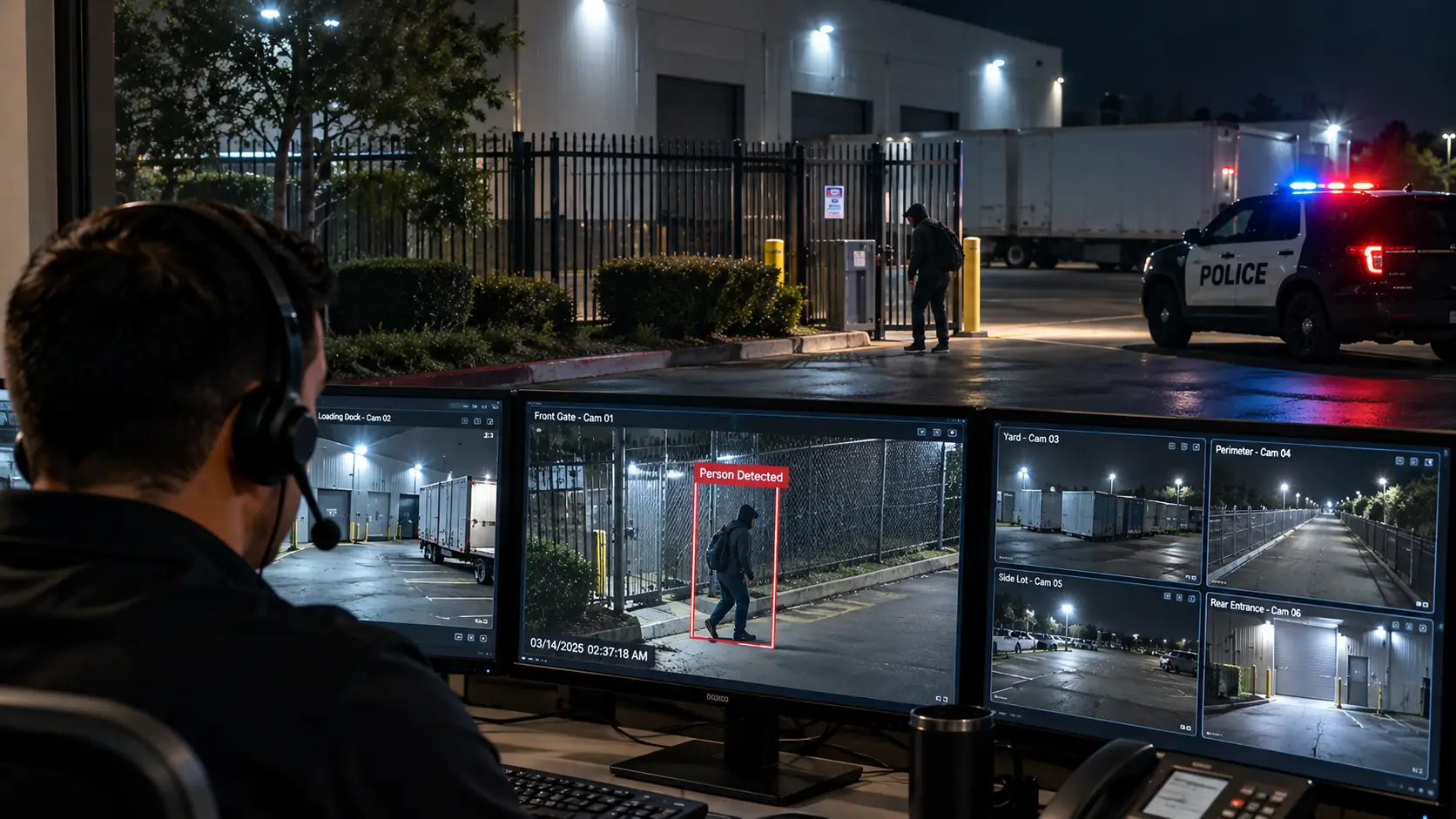
Live video monitoring works in six stages. Cameras and analytics flag activity on a property, the event lands in front of a trained operator, the operator looks at the live feed to confirm what is happening, speaks to the person on site through a speaker, calls police with a verified description if the person stays, and then documents everything. The difference from a recorded camera system is that a human makes a decision while the event is still unfolding.
Below, each stage in turn, including why verification changes how a police dispatcher treats the call.
The Six Stages at a Glance
- Detection. Cameras with video analytics notice movement inside a defined zone during a defined schedule.
- Queueing. The event, with a short clip and the live view, is routed to an operator at the monitoring center.
- Verification. The operator watches the live feed and decides what the activity is.
- Talk-down. If it is a trespasser, the operator speaks through an on-site speaker.
- Dispatch. If the person does not leave, or the situation is already serious, the operator calls police with what they can see.
- Follow-through. The operator keeps watching, notifies the site contacts, and files an incident report with the footage.
Step 1: Cameras and Analytics Detect Activity
Everything starts with the camera layout. A monitored site is mapped into detection zones: the fence line, the yard where equipment is parked, the loading dock, the rear door that should never open after hours. Each zone gets a schedule. Forklifts on the dock at 2 p.m. are normal. At 2 a.m. they are not.
Video analytics do the first pass of filtering. Instead of triggering on every change in pixels, current systems try to classify what moved, typically a person or a vehicle, so that wind-blown tarps, headlights sweeping across a wall, and wandering animals do not each become an alert. No analytics engine is perfect, which is why a human comes next.
Camera quality and placement set the ceiling for everything downstream. If the image at night is grainy, or the camera covering the gate sits too far back to show a face or a plate, the operator has less to verify and less to tell police. That is why monitoring and CCTV services are usually planned together: coverage, lighting and lens choice are decided with the operator’s view in mind, not just the recorder’s.
Step 2: The Event Reaches an Operator
When a zone triggers during its active schedule, the system sends the event to the monitoring center. The operator sees a short pre-event clip, the live camera view, and the site’s profile.
The profile tells the operator who is allowed on the property and when: the cleaning crew at 10 p.m., the patrol that drives through twice a night, the manager who picks up paperwork on Sundays. It also lists who to call, in what order, and any site-specific instructions. Without a current profile, even a good operator is guessing.
Step 3: The Operator Verifies What Is Happening
This is the step that separates live video monitoring from a traditional alarm. The operator is not reacting to a sensor that says “door opened.” They are watching the scene.
In a few seconds they are answering practical questions. Is that a person? Are they on the authorized list or climbing the fence? Are they cutting a lock or loading a vehicle? Is anyone in danger?
A large share of events end here. An early delivery driver, a patrol officer doing a lock check, a coyote: the operator logs it and closes it.
Step 4: Talk-Down Through a Live Speaker
When the operator confirms an unauthorized person, the usual first move is to speak to them through a speaker mounted near the cameras. A useful talk-down is specific. A siren or a recorded “you are being watched” message is easy to ignore. A live voice saying “you in the gray jacket by the white van, this property is monitored and police are being contacted” tells the person that someone is watching them right now.
Often the person leaves at that point. If they do, the operator keeps the cameras on them until they are off the property, logs the event, and notifies the site contacts according to the profile.
Some situations skip this step entirely. If the operator sees a weapon, a fire, a medical emergency or a break-in already underway, the call to police comes first.
Step 5: Calling Police With a Verified Report
If the person ignores the warning, or the situation is serious from the start, the operator contacts the police agency that covers the property.
Here is why verification matters so much at this stage. According to the U.S. Department of Justice COPS Office guide False Burglar Alarms (2nd edition, 2007, Rana Sampson), between 94 and 98 percent of alarm calls police receive are false, and each one takes roughly 20 minutes of police time, usually for two officers (ASU Center for Problem-Oriented Policing). Faced with that volume, dispatchers have good reason to treat an unconfirmed sensor alarm cautiously.
Two industry responses are relevant here. The first is Enhanced Call Verification: in jurisdictions that require it, the alarm company must make a minimum of two calls to two different numbers before requesting police dispatch for a burglar alarm, as described by the Louisville Metro Police Department. The second is the ANSI/TMA-AVS-01 Alarm Validation Scoring standard from The Monitoring Association, which gives dispatchers a common language for how much is known about an alarm. Its levels run from 0 (no call for service) through 1 (a call for service with limited to no additional information) and 2 (a call with confirmed or highly probable human presence, intent unknown) up to 3 (a call with a confirmed threat to property) and 4 (a call with a confirmed threat to life) (TMA).
A live operator watching the feed is in a position to give the higher-information call. Instead of “the rear door sensor tripped,” the operator can say: two adult males, one in a black hoodie, cutting the padlock on the north container, white pickup parked outside the gate, no weapons seen. How each department uses that information is set locally, so no monitoring company can promise a particular response time. What verification does is give the dispatcher an accurate picture of what officers are walking into.
Step 6: Staying on the Feed and Documenting
The operator stays on the cameras after the call, tracking where the suspects go and updating the dispatcher if a vehicle leaves or someone moves to another building. They also notify the property contacts in the order the profile lists.
Afterward, the operator writes an incident report: time of detection, what was seen, what was said on the speaker, when police were called, and how the event ended. The relevant clips are preserved with it. That record is what a property manager hands to an insurance adjuster, what detectives ask for, and what shows the owner whether the same gap in the fence keeps getting used.
What Determines How Well It Works
The six stages are the same everywhere, but results depend on a handful of practical factors:
- Coverage and image quality. Blind spots and poor night images limit what an operator can verify.
- Power and connectivity. A camera that drops offline cannot be monitored. Sites without reliable utilities, like active construction projects, often use self-powered mobile surveillance units for this reason.
- An up-to-date site profile. Authorized schedules and contact lists change, and stale ones slow every decision.
- Local police policy. Response is set by the agency, not the monitoring company.
Live Monitoring Compared With Other Approaches
| Approach | Who decides what happened | When the decision is made | What police receive |
|---|---|---|---|
| Recorded-only cameras | Owner or staff reviewing footage | After the fact | A report and footage, after the loss |
| Traditional intrusion alarm | No one, at first | After a sensor trips, often confirmed by phone calls | An alarm notice with limited detail |
| Live video monitoring | A trained operator | While the event is happening | A description of what is happening now |
Frequently Asked Questions
How does remote security monitoring work? Cameras send events to a monitoring center when analytics detect a person or vehicle in an active zone. An operator checks the live view against the site’s authorized schedule, decides whether it is a threat, and then logs it, speaks through an on-site speaker, or contacts police and the property’s listed contacts. Every step goes into an incident report with the footage.
How does remote monitoring respond when an alarm triggers? The operator first looks at the live feed to see what caused the trigger. Authorized people, animals and false triggers are logged and closed. An unauthorized person usually gets a live verbal warning through a speaker. If they stay, or if there is an immediate danger, the operator calls the local police agency with a description of what is happening, keeps watching, and updates the dispatcher as things change.
What does a remote monitoring central station do? A central station is the staffed facility where operators watch alerts from client sites. Its operators verify events, talk down trespassers, contact law enforcement and site contacts, and keep records of every event. The station also holds each property’s profile: who is authorized on site, at what times, and who should be called first when something happens.
See the Process on Your Own Property
Virtual Guard CCTV, a DBA of Guardian Integrated Security (California PPO #121089, per the DCA license search), pairs camera analytics with live operators who verify, talk down and call police while an event is still in progress. Pricing is quoted per site. Learn how the service is set up on our live video monitoring page.